
LangSmith Tracing
Point LangSmith at your AIAgent with four
environment variables, and every LLM call, tool call, and reasoning step traces
automatically. No code changes.
At a glance
Environment variables only. No SDK code changes.
Traces every tool call, including collaboration tools, payment tools, and any
custom_toolsyou added.Complements, not replaces, console-based tracing. See Logging & Observability for that without a LangSmith account.
Setup
Add these to your .env file:
Variable |
Value |
|---|---|
|
|
|
Your LangSmith API key. See the LangSmith docs for how to create one. |
|
Any project name, created automatically on first trace. |
|
|
LANGSMITH_TRACING=true
LANGSMITH_API_KEY=your_langsmith_api_key
LANGSMITH_PROJECT=AgentConnect
LANGSMITH_ENDPOINT=https://api.smith.langchain.com
Set these before starting your process. Changing them after agents are already running has no effect.
What You’ll See
Every trace shows the complete path a request took, one agent run, expandable into every LLM and tool call inside it:
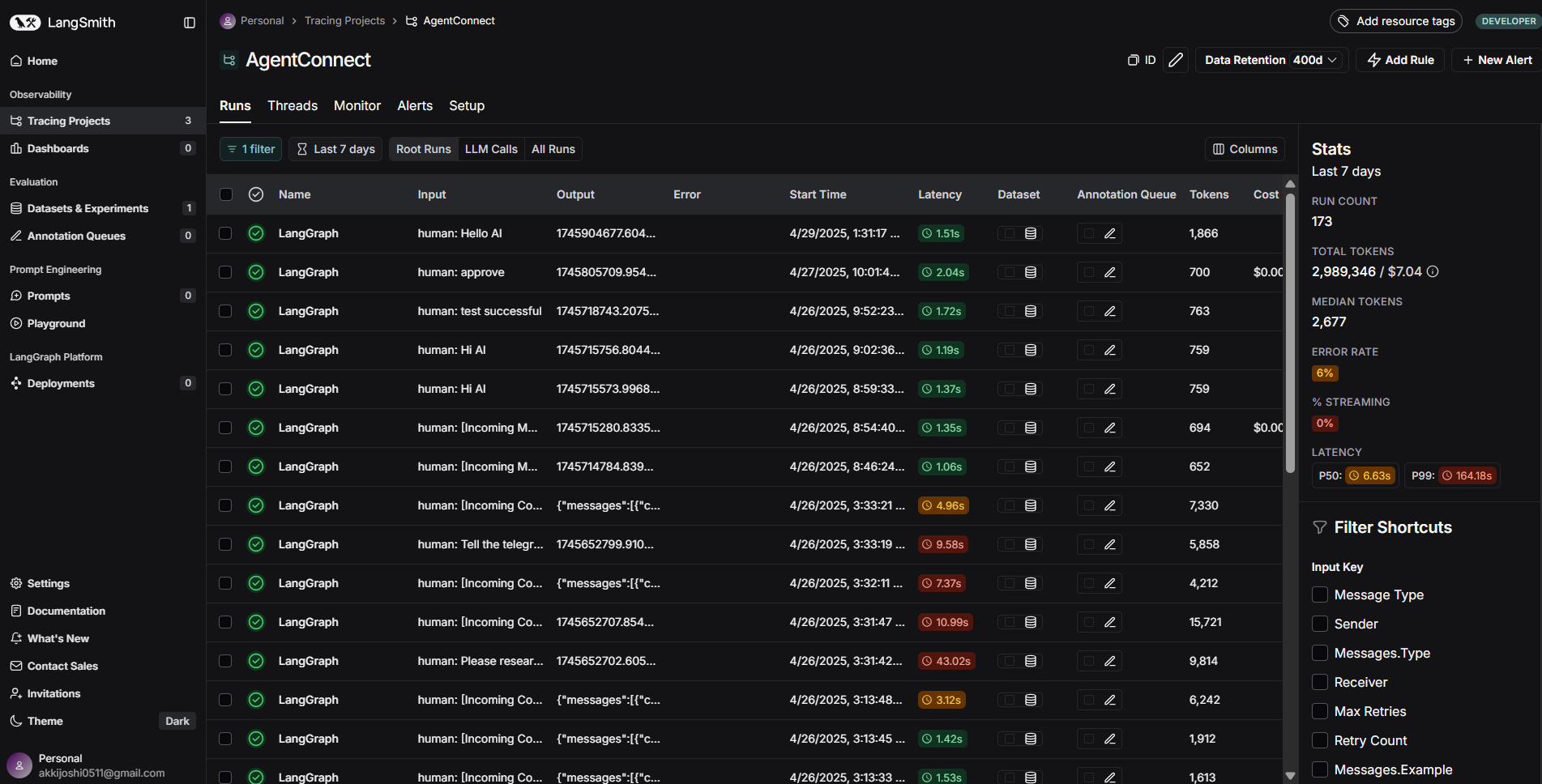
Project view: every agent run, listed as a trace.
Open a trace to see the step-by-step breakdown, LLM calls, tool executions, and the decisions in between:
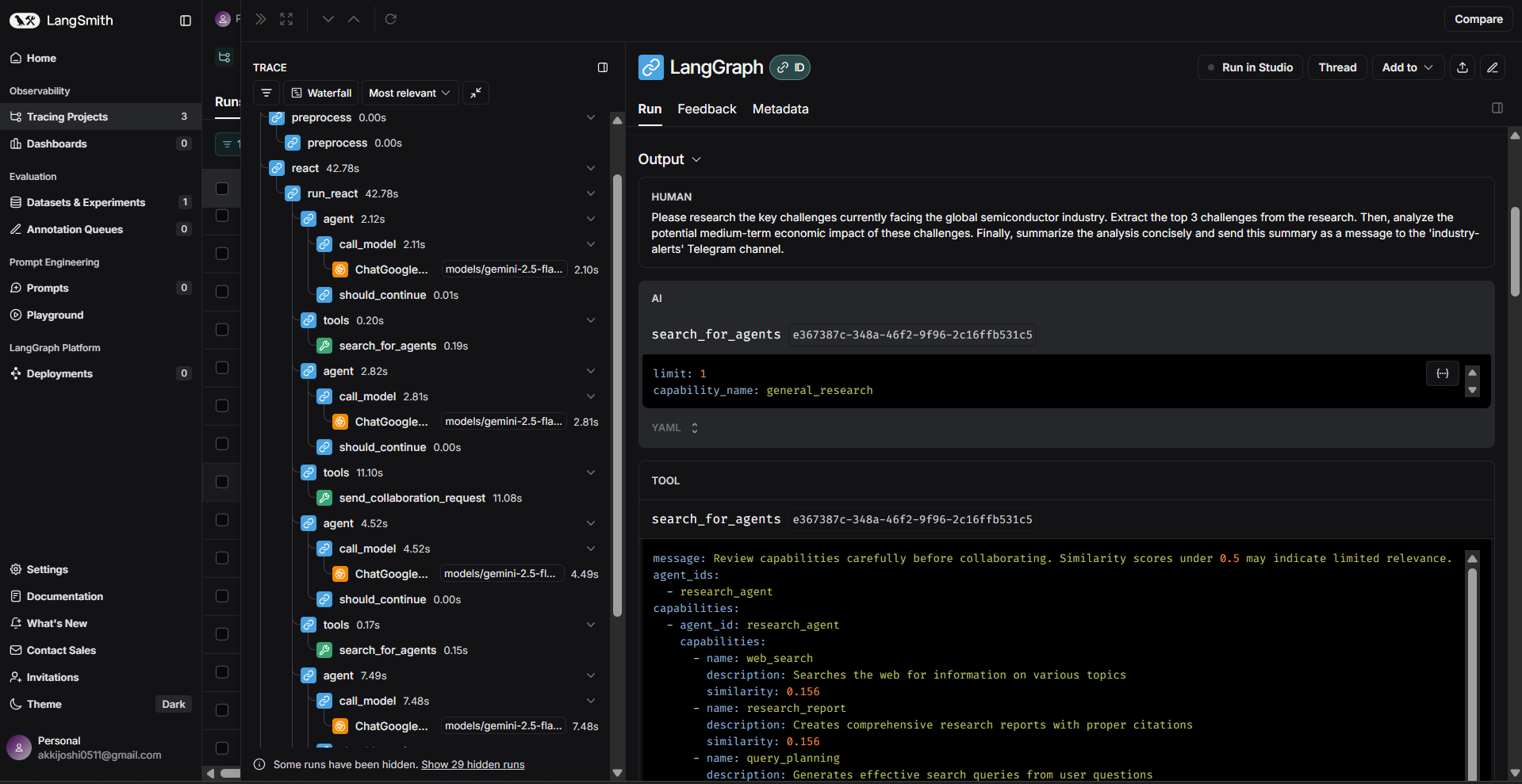
Trace detail: the full sequence behind one response.
Every tool call is logged with its inputs and outputs, built-in collaboration tools
(search_for_agents, send_collaboration_request), payment tools
(native_transfer, erc20_transfer), and anything passed via custom_tools:
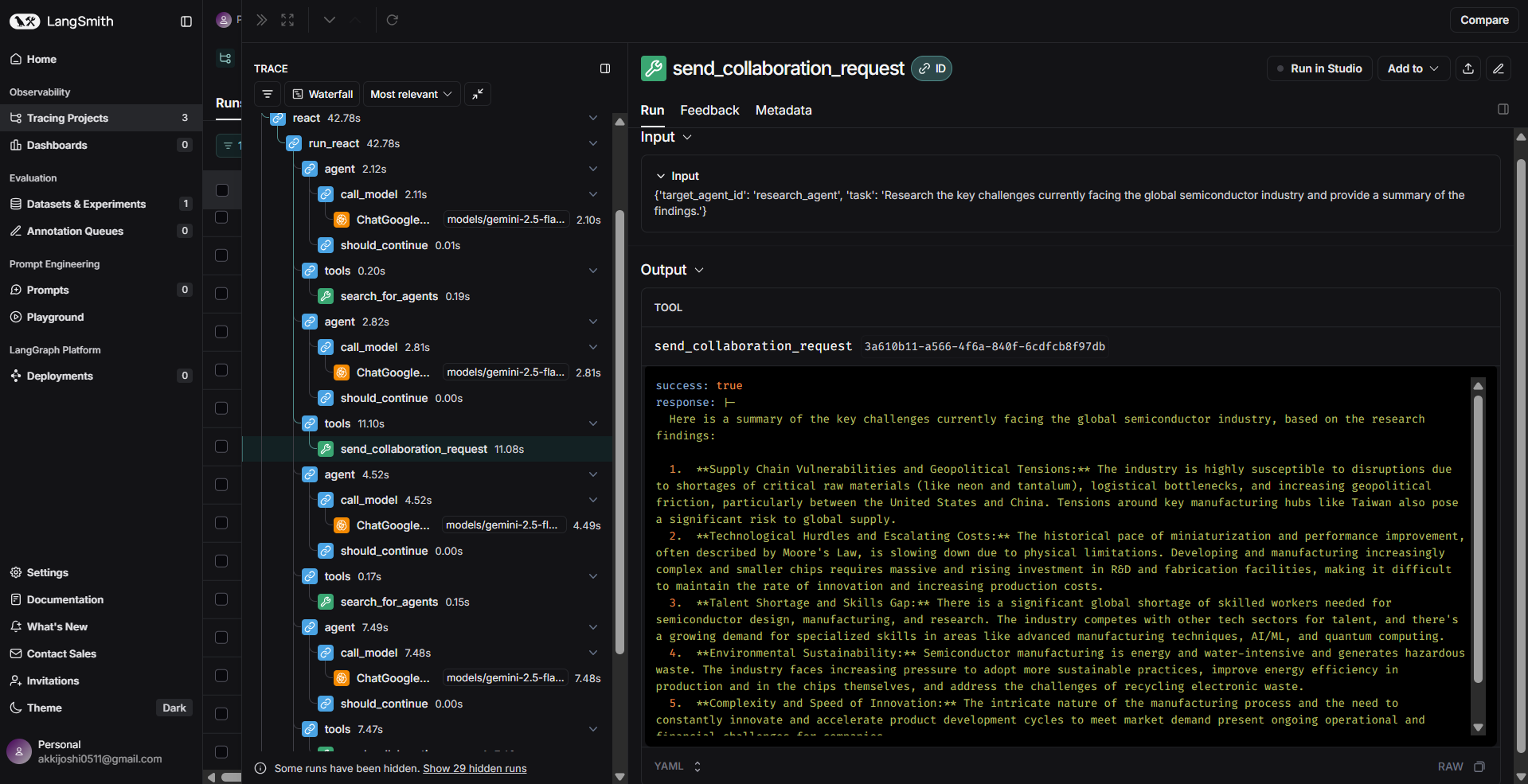
Tool call detail: exact inputs and outputs.
Failures are marked at the step where they happened, with the error message attached:
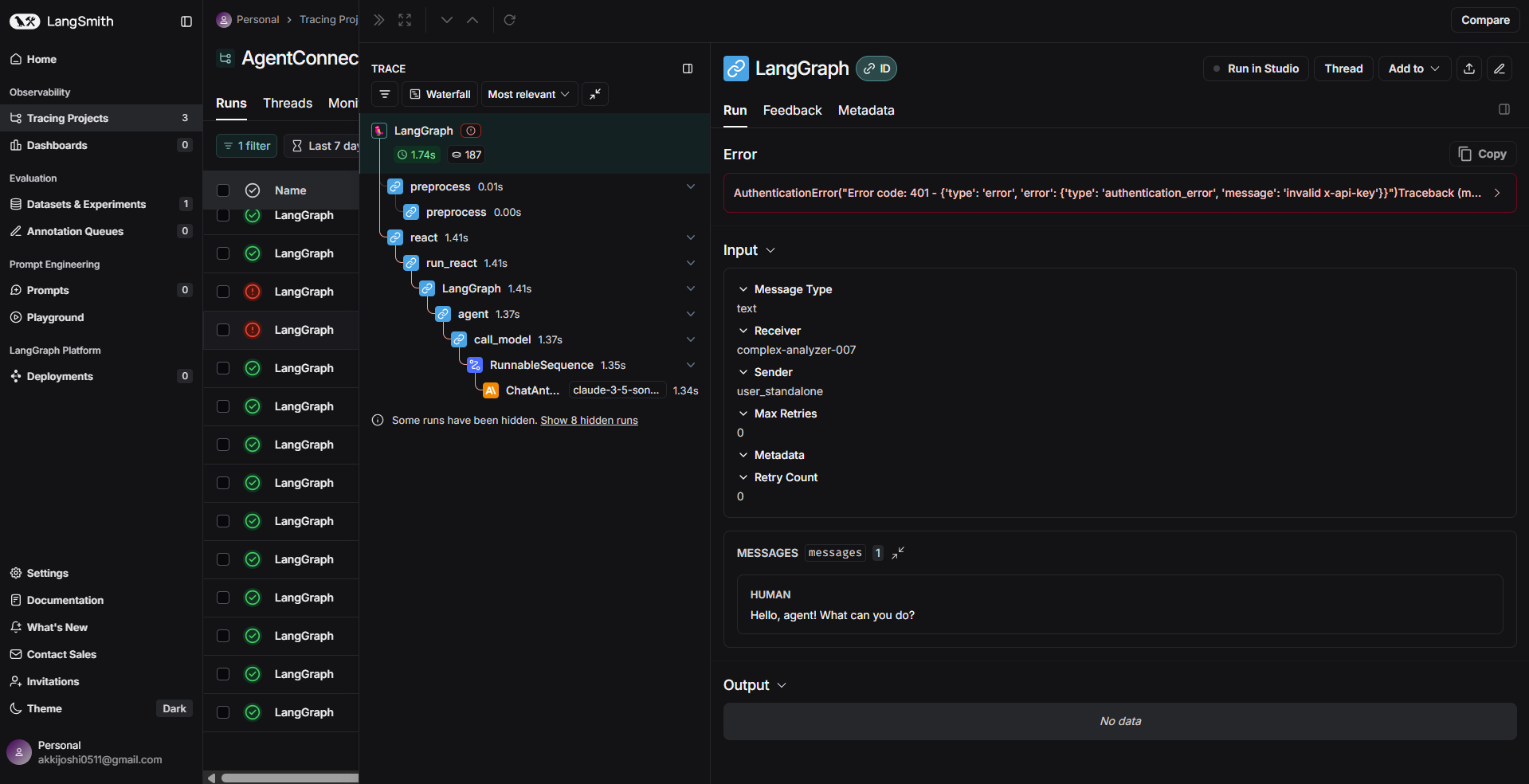
A failed step, isolated in the trace.
Token counts and latency are tracked automatically on every LLM call and trace, useful for cost and performance tuning without adding any instrumentation yourself.
Troubleshooting
Nothing shows up in LangSmith
Confirm LANGSMITH_TRACING=true was set before the process started, and that
LANGSMITH_API_KEY is valid for the project named in LANGSMITH_PROJECT.
Traces are incomplete or missing tool calls
Custom tools need clear names and docstrings to show up meaningfully in a trace; see AIAgent for tool-writing guidance. A trace reflects exactly what ran, if a tool was never called, it won’t appear.
Next Steps
Logging & Observability — console-based logging and callbacks, no LangSmith account needed
AIAgent —
custom_toolsand otherAIAgentparameters